Matchai Store
Buy Matchai Energy as a Small box, a Bag or a Box, and manage your payment method, invoices, refunds and subscriptions in Billing.
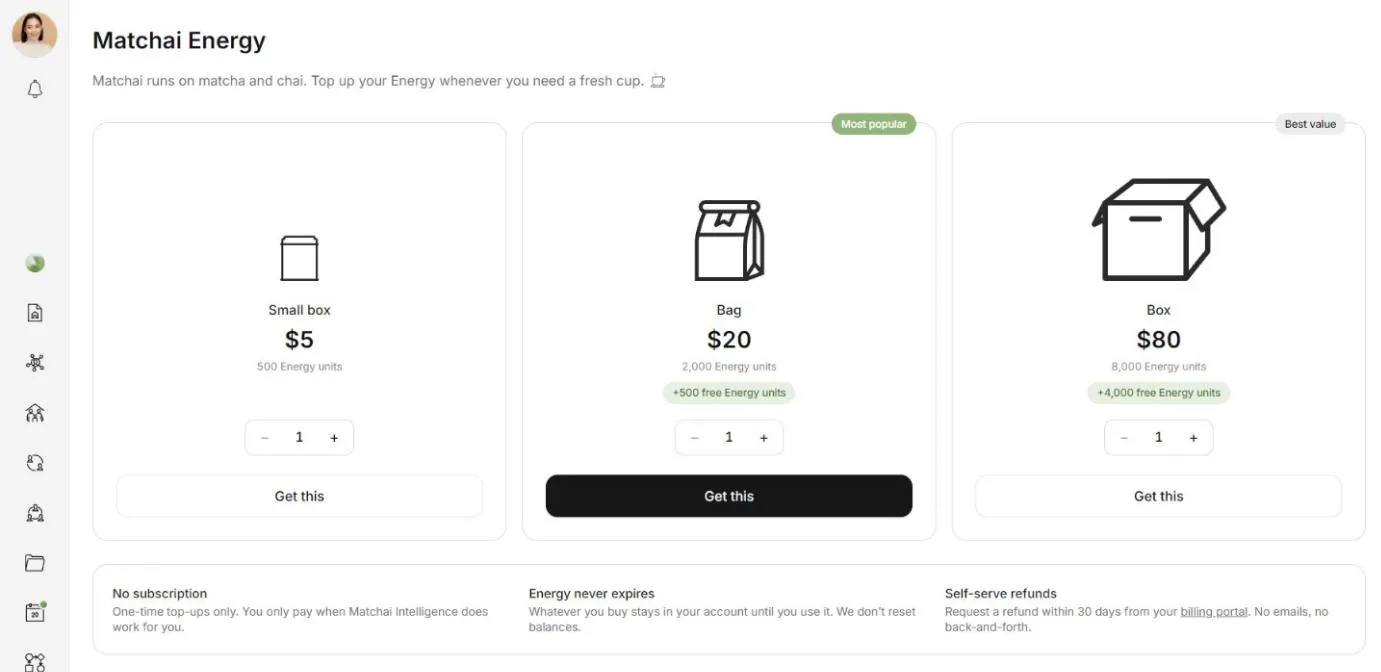
The Matchai Store is where you top up your Matchai Energy. There is no subscription: you buy Energy when you need it, and it never expires.
Open the store
Open Settings → Energy.
Under Top up, choose Get more Matchai Energy. The store opens, titled Matchai Energy.
When you run out of Energy in the middle of something, the Top up button or the Out of Matchai Energy window takes you to the same store.
What you can buy
| Item | Price | In the store |
|---|---|---|
| Small box | $5 | |
| Bag | $20 | Marked Most popular |
| Box | $80 | Marked Best value |
Prices are in US dollars. Larger items include extra Energy for the price, which is why the Box is the best value. The store shows how much each item holds.
Buy Energy
In the store, use the stepper on an item to choose how many you want, up to 10.
Choose Get this. With more than one, the button names the quantity and the total, such as Get 2 Bags ($40).
A secure checkout page opens. Enter your payment details there and pay.
You come back to Settings → Energy. Matchai shows Payment received. Adding your Energy…, then Matchai Energy added.
Adding your Energy usually takes a few seconds. If Matchai says your payment was received but your Energy has not arrived yet, refresh the page. If it is still missing, write to support@matchai.co.
Each item you buy is added separately under Your items, so buying two Bags gives you two Bags. That also means you can give one to a colleague while it is unopened.
Your payment details are entered on the checkout page, never in Matchai, and they never reach Matchai.
The store's promises
- No subscription. One-time top-ups only.
- Energy never expires. What you buy stays in your account until you use it.
- Self-serve refunds. Request a refund within 30 days, from the billing portal described below.
Billing
Settings → Billing gathers everything you pay for.
Payment methods and invoices
Under Payment methods & invoices, choose Open billing portal. The secure billing portal opens, where you can update your card, download your invoices and request a refund. If you have not bought anything yet, there is nothing to manage there.
Subscriptions
Subscriptions lists your recurring charges:
- Matchai Connectors: $5 a month for each connector slot. See Matchai Connectors.
- A custom domain for your Matchai Site: $50 a month, after a free trial. Its row shows when the trial ends. See Custom domain.
Each row shows its monthly price and its status, such as Next charge, Cancels or Payment past due.
To cancel a subscription, open the billing portal. A cancelled subscription keeps working until the end of the period you already paid for.
Extra storage in Matchai Cloud is billed monthly too. You choose its size from Storage in Matchai Cloud.
Purchases
Purchases lists the Energy you have bought.
In the iPhone and Android apps
The Matchai app for iPhone and Android does not sell anything. The store, the Top up buttons and Billing do not appear there. Your battery, your daily dose, your items, gifting and your usage history all work as usual.
To buy Energy or manage your billing, open Matchai at matchai.co in a web browser.
Why it works this way
Matchai is free to download, and the app itself contains nothing to buy. Everything you purchase, you purchase from Matchai directly, on the web. Your Energy, your connectors and your subscriptions are the same everywhere: what you buy on the web is in the app the moment you open it.